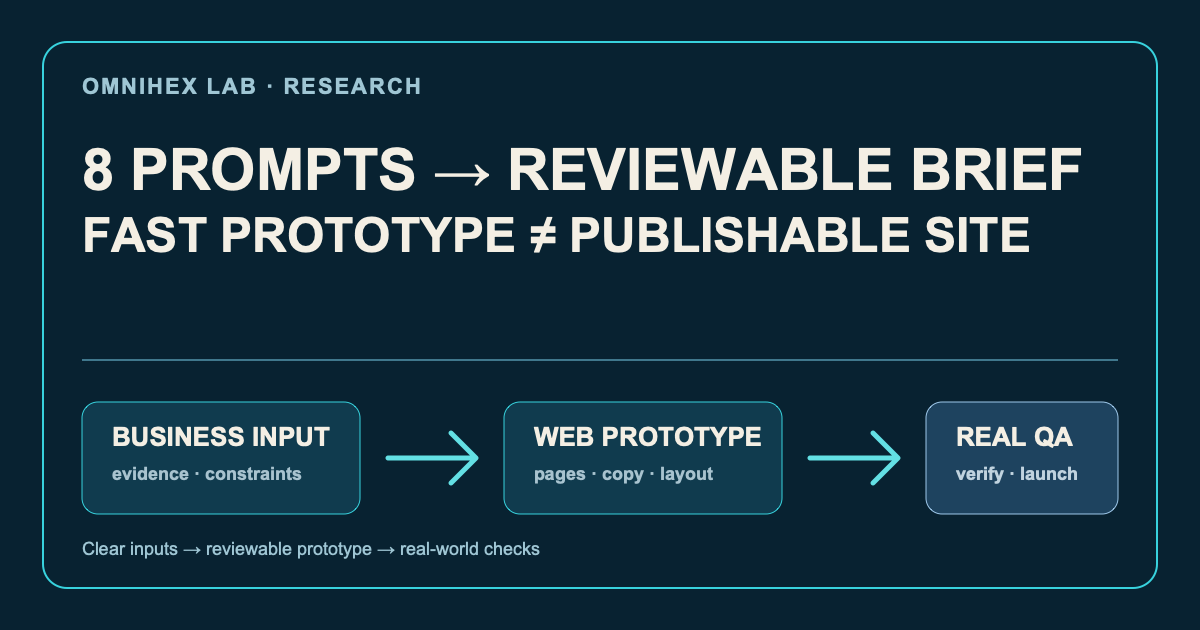
An X thread suggested that Claude could make a polished website for free in 30 minutes by splitting the work into eight prompts: site structure, a hero section, homepage copy, portfolio, services, about, mobile optimisation, and site-wide copy.
That is a useful way to surface the visible parts of a website. It is not evidence that a site is ready to publish, convert visitors, or survive maintenance.
My conclusion: eight prompts can help an owner get to a demonstrable prototype quickly. They do not supply the missing business facts, design constraints, engineering checks, or operating decisions that make a real website trustworthy.
This is a source-backed method reconstruction, not a timed Claude experiment or a model comparison. The original post is a discovery source; the product and capability boundaries below are based on the official materials listed at the end, accessed on 2026-08-11.
First, separate the claims that usually get collapsed
Claude can generate a webpage, but product paths matter
Anthropic’s examples show Claude being used to turn supplied material into portfolio HTML. In the Claude conversation and Artifacts path, a person can inspect, revise, and export generated code or an interactive prototype. That supports a narrow, useful claim: Claude can help generate page structure, copy, and front-end code from clear inputs.
It does not mean every product called “Claude” has the same operating model. Artifacts are a conversational workspace for previewing and iterating on code; publishing an Artifact is a separate product action. Claude Code works on local repositories and engineering tasks in a supported development environment. The free Claude.ai plan does not include Claude Code. Treating those paths as one button called “build me a site” hides different permissions, costs, and ways to verify the result.
Thirty minutes is an attributed prototype target, not a promise
The official product and help materials reviewed here do not make a 30-minute website promise, and this article does not independently verify a timed result. The time claim therefore belongs to the post’s framing, not to Claude’s documented capabilities.
Thirty minutes can be enough to make a narrow prototype when the hard inputs already exist: a business description, a single call to action, approved images, usable copy, and a decision to build one static page. If those inputs are absent, the time goes into clarifying the offer, finding licensed material, and removing invented detail—not into a magically faster build.
“Completely free” needs conditions, not a headline
Claude has a free plan in supported regions, but official help material describes usage limits that reset by session and vary with message length, files, models, and features. Artifact sharing is available to Free, Pro, and Max users, but an Artifact being shareable does not make a production website cost-free. Claude Code is outside the free Claude.ai plan.
Domain names, external hosting, forms, transactional email, analytics, licensed imagery, security review, and long-term maintenance may all introduce their own cost or operational requirement. A more accurate statement is: a free allowance may be enough to prototype or share an Artifact in some conditions; it does not establish that a particular website can be launched and operated at zero cost.
What the eight prompt categories cover—and what they omit
The eight categories map sensibly to common page work:
| Prompt area | It can accelerate | It cannot safely invent |
|---|---|---|
| Structure and hero | Content hierarchy, first-draft headlines, layout options | The actual visitor’s problem or the one action that matters |
| Homepage and service copy | A clear first pass at sections and calls to action | Prices, outcomes, claims, testimonials, or guarantees |
| Portfolio and about | A reusable narrative structure | Approved case studies, client names, team history, or evidence |
| Mobile and site-wide copy | A proposed hierarchy, labels, and breakpoint rules | Device behaviour, accessibility, browser compatibility, or performance |
The omissions are not a minor footnote. They are the work that makes a page answerable to a customer and safe to put in front of one. “Make it premium” is an aesthetic request, not a testable specification. Convert it into constraints instead: how much whitespace, which type styles, how many colours, whether motion is allowed, what imagery is licensed, and what promises are prohibited.
Start with a brief, not a page request
Before asking for markup, create a short brief. A blank field is an input that still needs a human answer—not an invitation for the model to fill it with plausible copy.
- Business and offer: What is being sold or offered? Which scope and price information may be public?
- Audience: Who arrives, in what situation, and what do they need to decide?
- One primary action: What is the single action a visitor should take next?
- Proof: Which cases, quotes, outcomes, qualifications, and images are approved for use?
- Brand constraints: Tone, colour and type boundaries, forbidden claims, and visual references not to copy.
- Page and technical scope: Which pages and functions are in this release? Who owns hosting, the domain, forms, and measurement?
- Acceptance: What must pass at 390px and desktop widths? What proves an image, link, form state, title, description, and canonical URL are correct?
- Do-not-invent list: Customers, prices, testimonials, metrics, credentials, availability, and launch claims.
This does not make a prompt more elaborate for its own sake. It makes uncertainty visible before it becomes fabricated evidence.
Rebuild eight prompts as reviewable work modules
Instead of feeding eight ornamental instructions into one conversation, use them as small assignments with inputs, exclusions, and acceptance criteria.
- Information architecture: Provide the audience, offer, and one primary action. Ask for a page tree, the question each section answers, required evidence, and unresolved inputs.
- Hero: Ask for three directions with a headline, subhead, CTA, supporting proof, and visual rationale. Reject superlatives that cannot be evidenced.
- Homepage copy: Organise confirmed material as problem, method, proof, and action. Mark any factual gap as a placeholder.
- Portfolio: Use only approved material. Ask for a problem, constraints, action, result, and next-step structure—not an invented success story.
- Services: Define the scope, qualification criteria, delivery boundaries, and enquiry questions. Do not imply unlimited work or guaranteed outcomes.
- About: Connect verified people, history, and methods to why they are credible. Leave any unconfirmed timeline visible for review.
- Mobile interaction: Ask for a 390px content order, touch targets, collapse rules, and handling for dense elements. Then test it on a real viewport.
- Site-wide copy and metadata: Generate navigation labels, empty states, titles, descriptions, canonicals, and sharing summaries only for pages and locales that actually exist.
A practical prompt template
Use this as a handoff to Claude after the brief is complete. Its purpose is to make the model ask for missing inputs and produce a reviewable first pass—not to claim that it can publish the site on its own.
You are helping create a website prototype, not invent a business.

Business and audience: [insert confirmed facts]
Primary action: [one CTA]
Approved evidence and assets: [links or supplied material]
Brand and visual constraints: [tone, type, colour, motion, exclusions]
Pages and technical boundary: [what is in and out]

First list any missing information that must be confirmed before writing.
Then propose: information architecture, section-level copy, component notes,
and a 390px layout plan. Mark every claim that depends on proof.

Do not invent customers, testimonials, metrics, prices, credentials, images,
integrations, launch status, or English-language pages. Return an acceptance
checklist for links, forms, responsiveness, accessibility, performance, SEO,
and deployment ownership.
The prototype-to-production handoff is a different job
Google’s page-experience guidance treats mobile display, HTTPS, Core Web Vitals, intrusive interstitials, and a discernible main content area as things to review together; it does not promise search rankings from a single score. Its JavaScript guidance also calls for checking crawlable links, initial HTML, canonical URLs, status codes, and rendered content.
That is why a launch checklist must go beyond “the preview looks good.” At minimum, someone accountable for the site should verify:
- factual copy, contact details, pricing, claims, and media rights;
- navigation, calls to action, form success and failure states, and external links;
- horizontal overflow, touch targets, image cropping, and readability at 390px and desktop widths;
- keyboard access, visible focus, alt text, labels, and adequate colour contrast;
- assets, loading behaviour, browser compatibility, and the actual deployment environment;
- unique metadata, canonical URLs, crawlable links, intended status codes, sitemap, and robots behaviour.
When this approach is worth using
Use Claude to accelerate a prototype when you already have the business facts, a constrained scope, and a person who can review every claim. It is especially useful for testing an information architecture, turning approved material into a first layout, or exposing which inputs are missing.
Do not treat the workflow as a substitute for product discovery, legal review, real integration work, or production QA. A landing page with payments, regulated claims, personal-data collection, client evidence, or a living content system needs those responsibilities named before it ships.
The useful promise is modest: Claude can shorten the distance from a clear brief to something people can discuss. The website becomes publishable only when its facts, interactions, constraints, and operation have been checked in the real environment.